
AI virtual staging: furnish an empty room from one photo
An empty room is hard to love in a photo. AI virtual staging fills it with furniture, rugs and plants, so you, a buyer or a tenant can picture living there. We tested it on 11 empty rooms, 22 designs in all. Here is what came back, including the misses.
Stage your empty room 2 free designs · no login · Android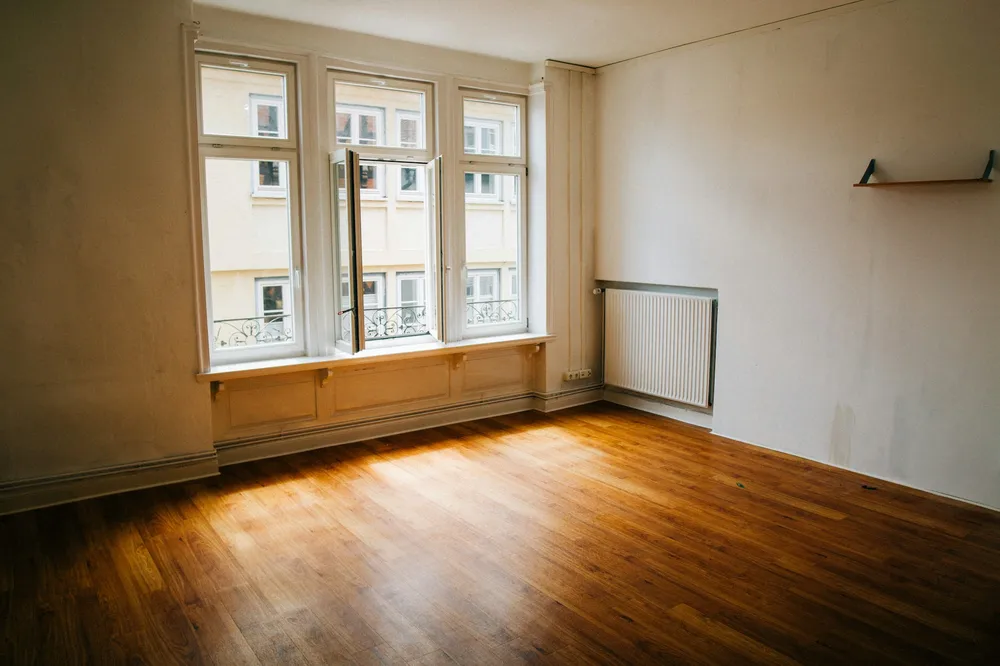
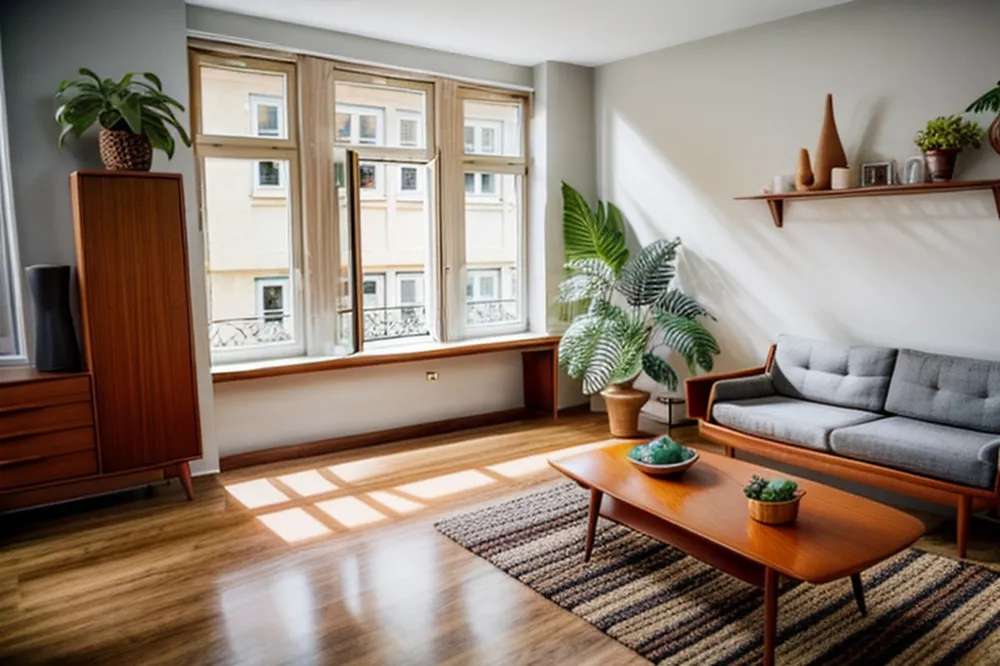 EmptyMid Modern
What is AI virtual staging? You take a photo of an empty room, and AI draws furniture into it in the style you choose. In the DecorAI app you pick a style and the room type, then turn on "This room is empty: add furniture". In our tests the room came back fully furnished in 20 of 22 designs. In 7 of 22 the AI also changed part of the room, such as a wall, door or window, so always compare the result with the real space.
5 empty rooms, virtually staged by AI
Drag each slider. Every "before" is a real empty room from Unsplash. Every "after" is what the app's empty-room mode returned, with no editing.
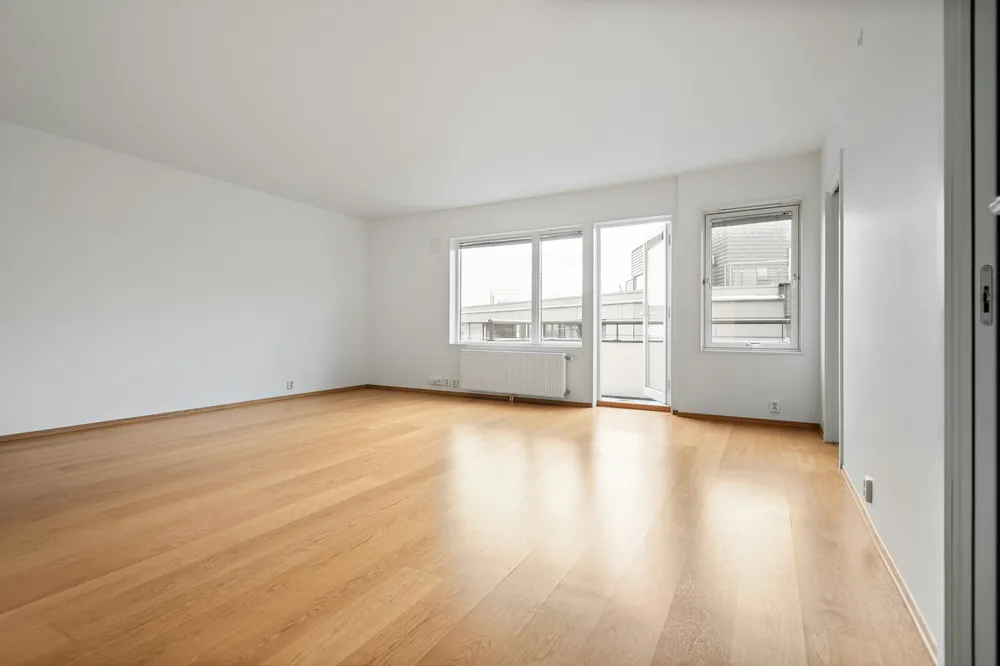
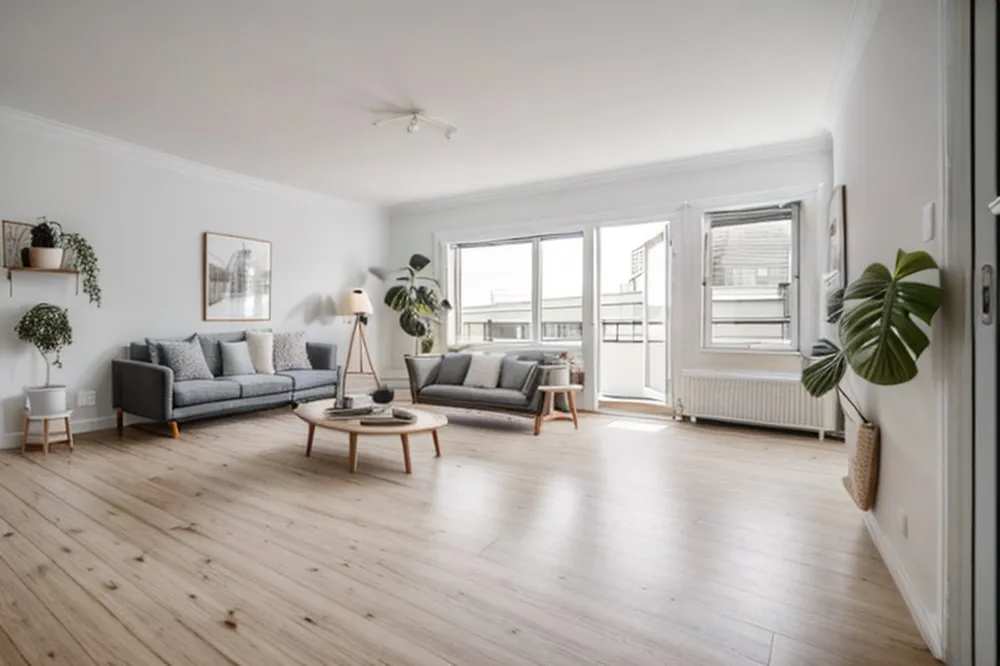 EmptyScandinavian
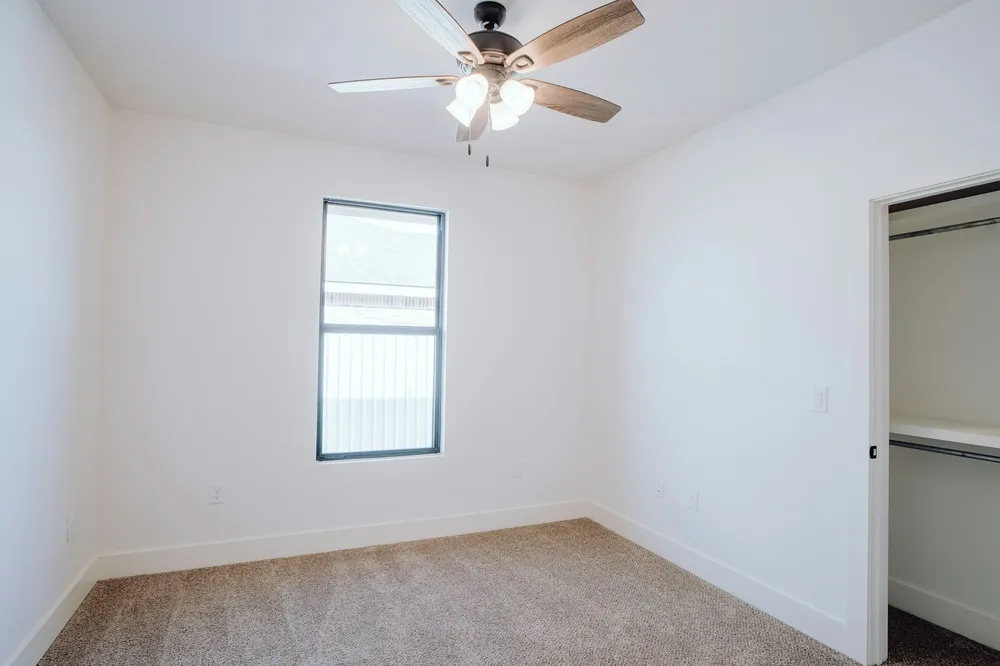
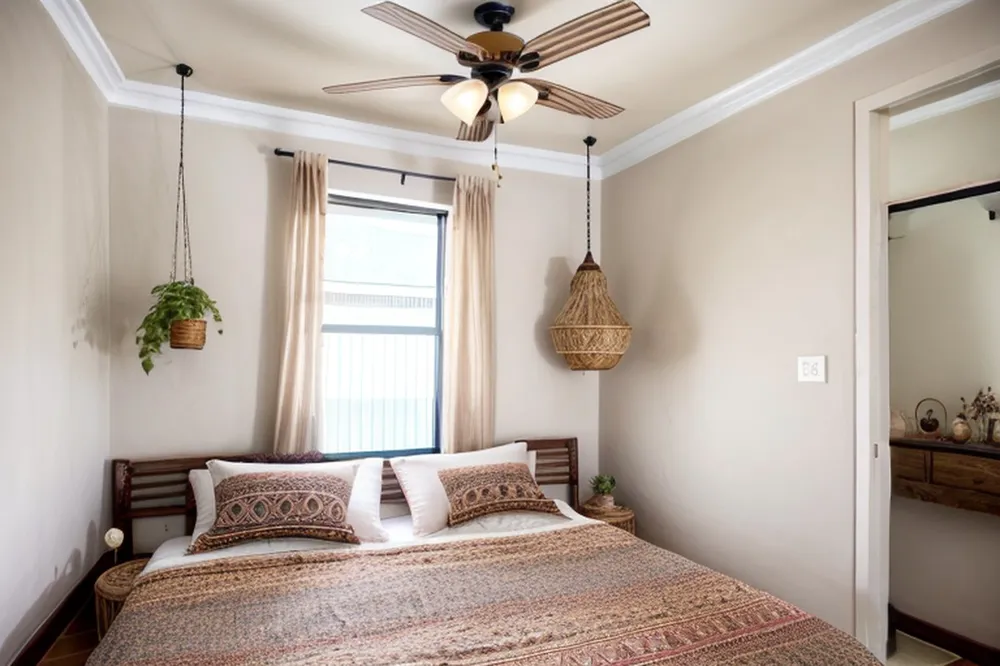 EmptyBoho
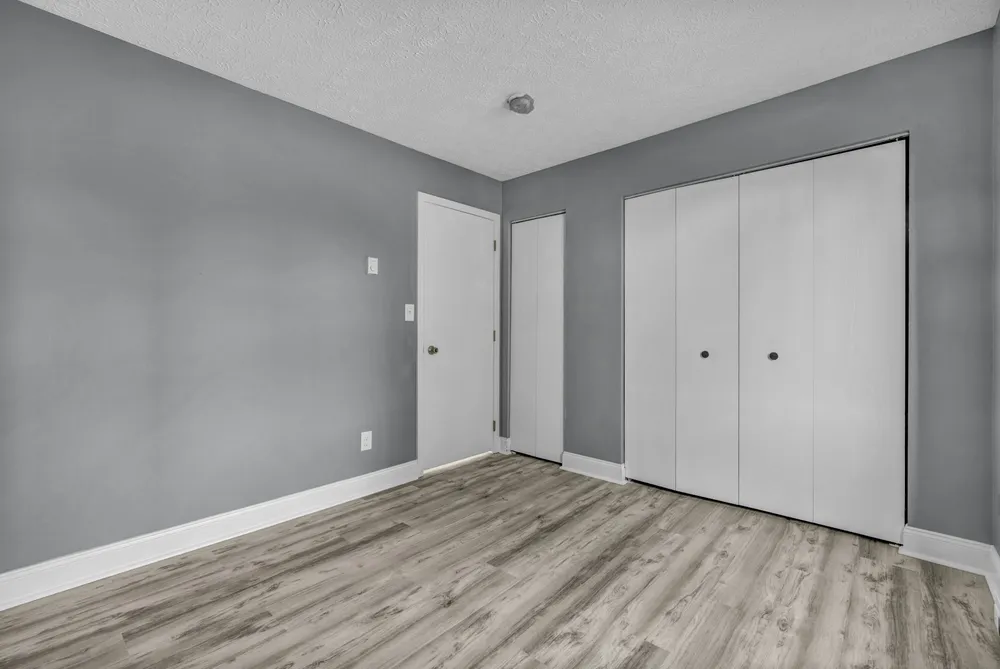
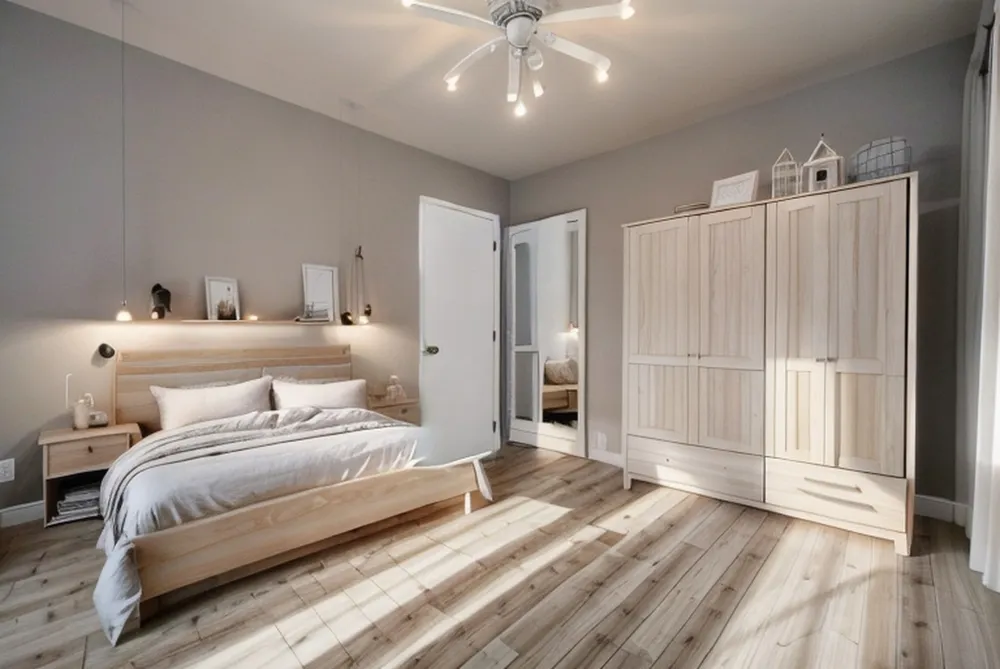 EmptyScandinavian
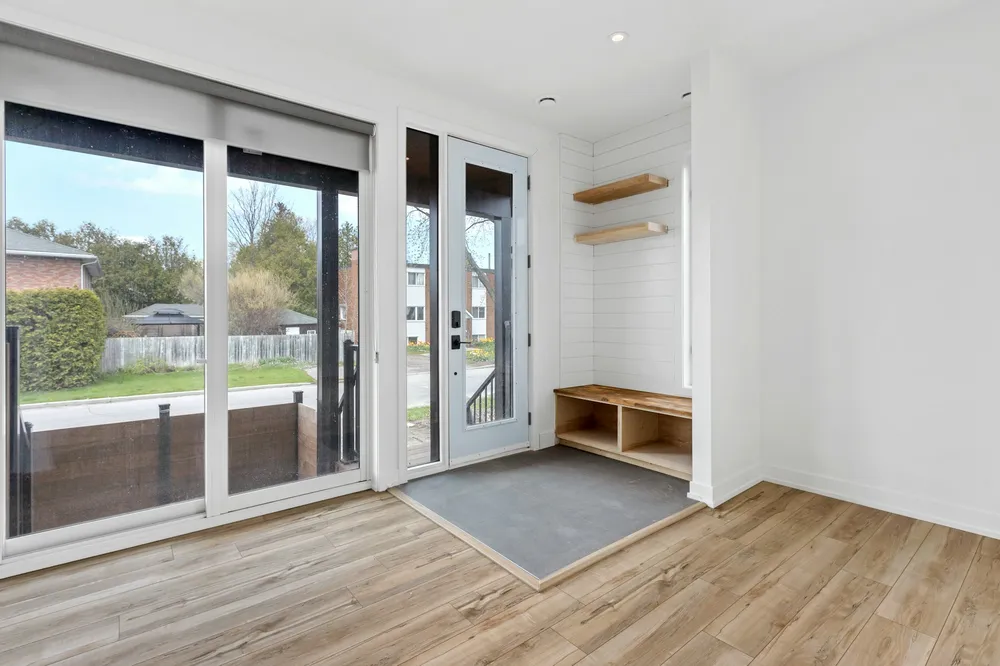
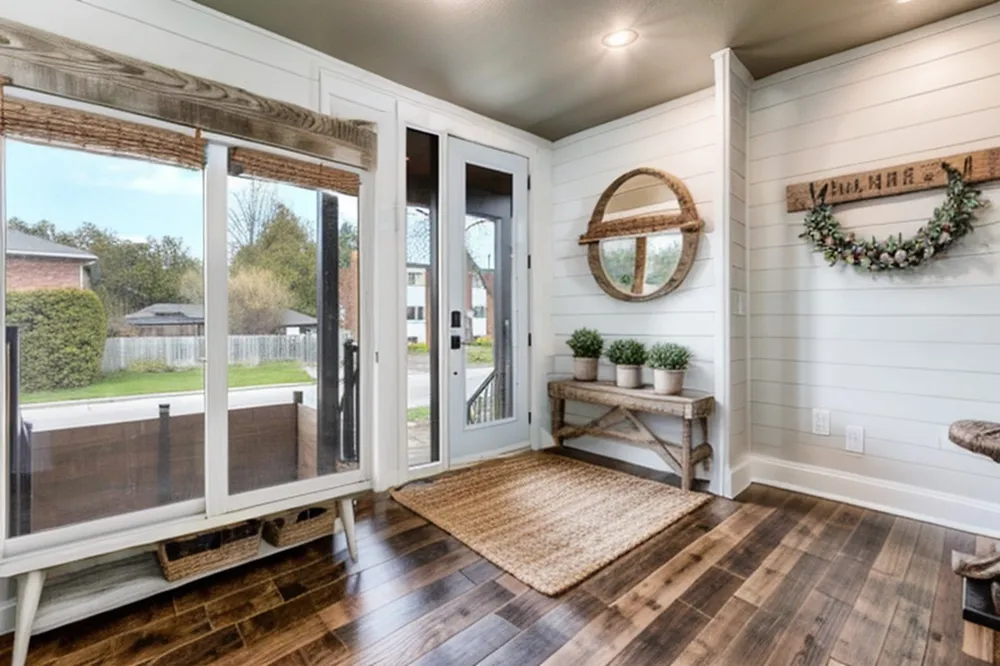 EmptyFarmhouse
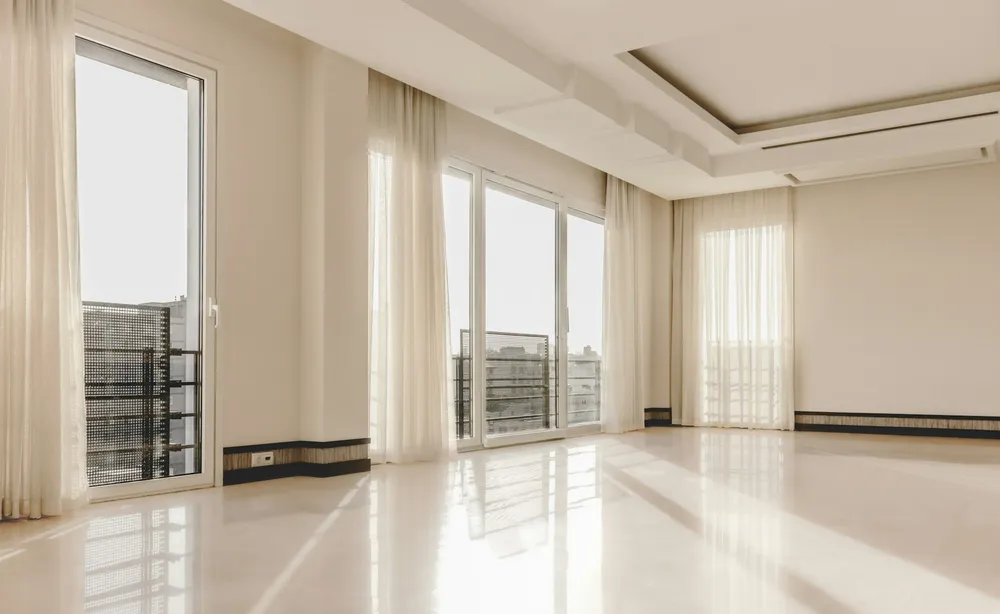
 EmptyHollywood
Where AI virtual staging changed the room
Empty-room mode changes more of the photo than a normal redesign, because it has to add a lot. In 7 of our 22 designs that went too far. These two show what to watch for.
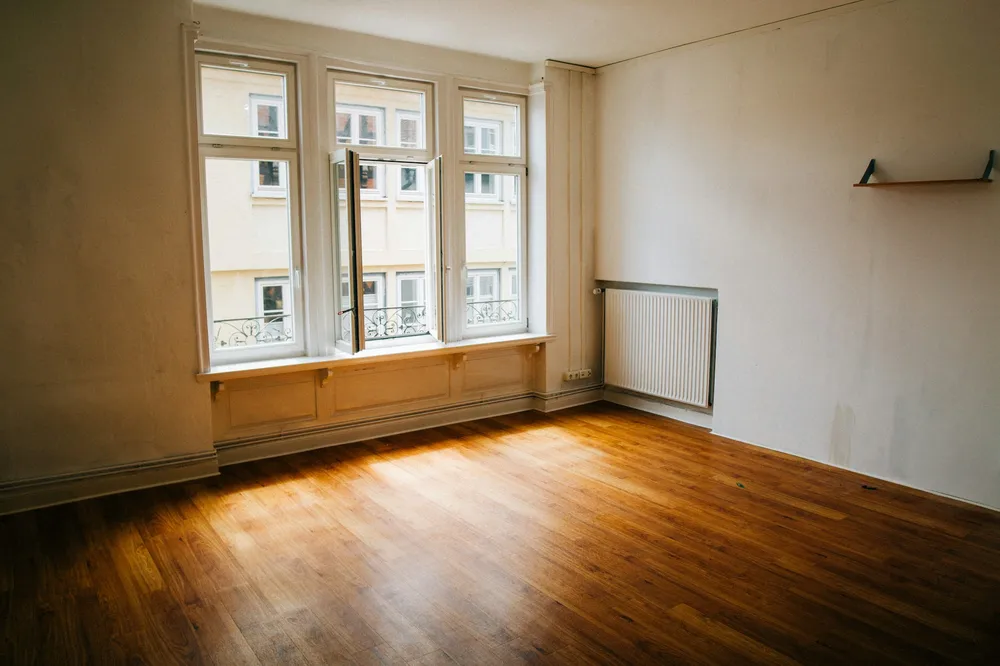
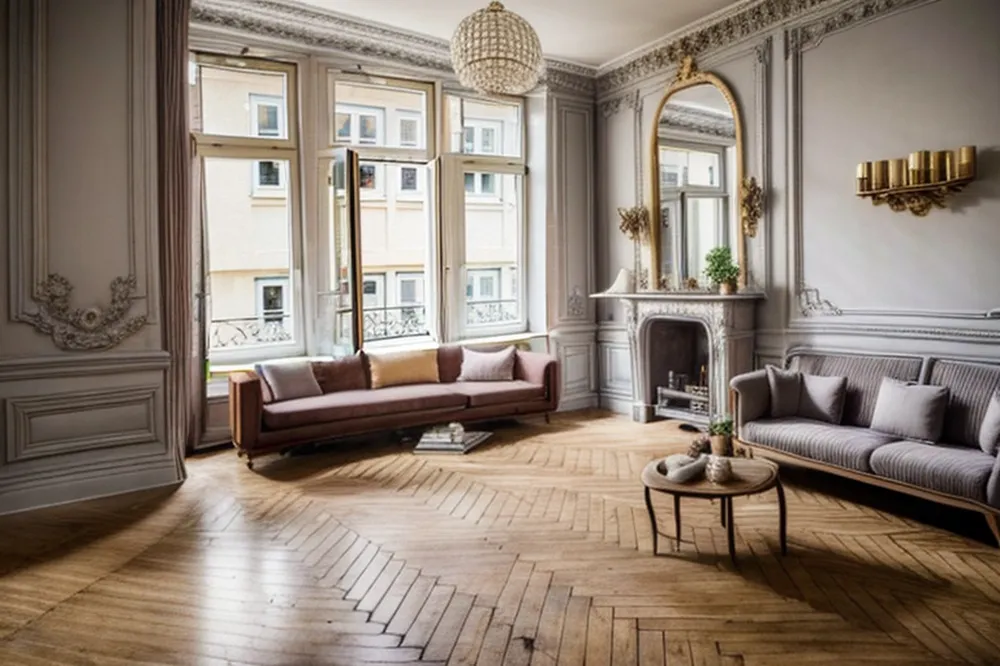 EmptyParisian
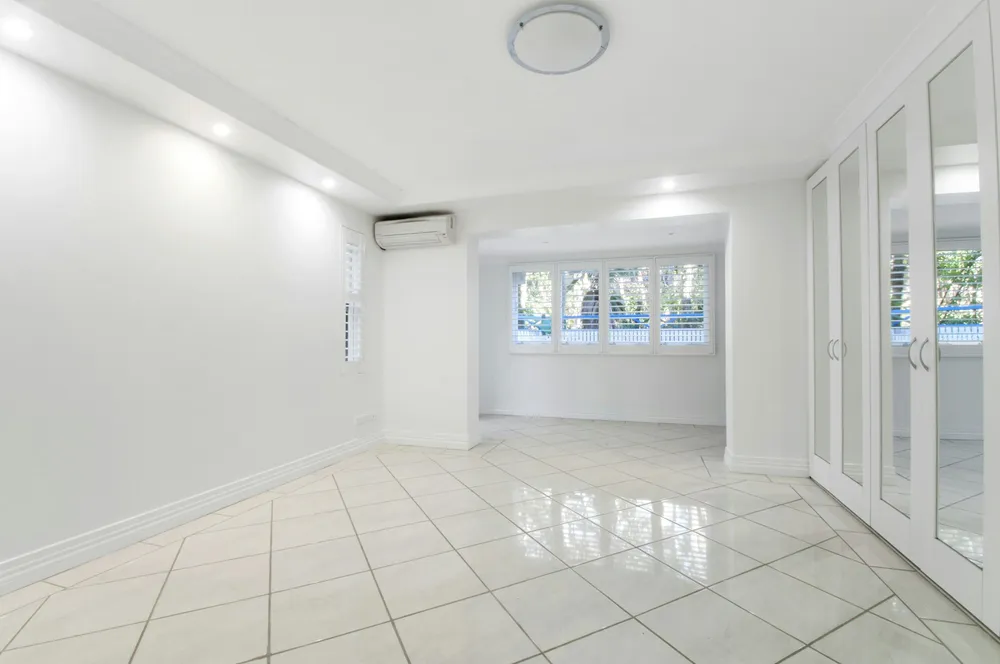
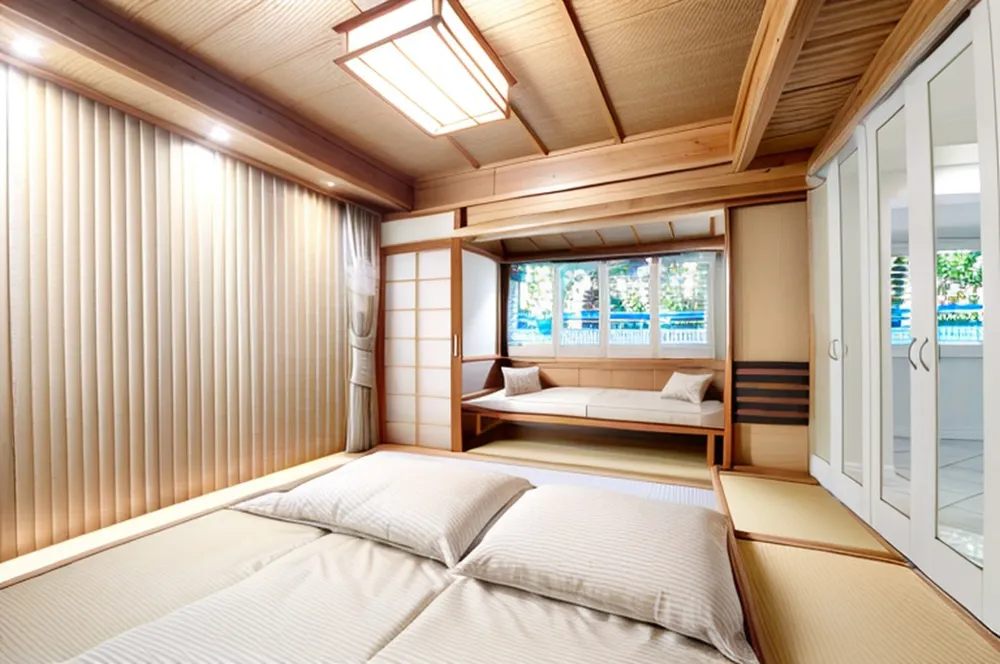 EmptyJapanese
Smaller changes are common too: a radiator vanishes, a light fitting moves. If a result changes the room, try again or pick a calmer style; each try uses one design.
How to stage an empty room with AI
- Photograph the whole room from a corner, with the lights on and the blinds open. Our guide to designing a room with AI shows why light matters.
- Pick a style. In our tests the big changes came with ornate styles such as Parisian, Hollywood and Japanese; Scandinavian, Minimalistic and Mid Modern stayed closer to the real room. See all 15 in our interior design styles guide.
- Pick the room type, so a bedroom gets a bed and a hallway gets a bench and a mirror.
- Turn on "This room is empty: add furniture" in the DecorAI app. Without it, the AI restyles the walls and floor but often adds little furniture.
- Check the result against the real room: windows, doors, radiators and built-ins.
Virtual staging for real estate: use it honestly
For listings, virtual staging helps buyers see how a room could work. It also creates a gap between the photo and the home they visit. A few simple rules keep it honest:
- Label it. Mark each image as "virtually staged".
- Show the empty photo too, right next to the staged one.
- Never hide defects or change the room itself: no new windows, floors or fireplaces.
The NAR Code of Ethics (2026) asks REALTORS® to present "a true picture", and its rules ban misleading images. It doesn't name virtual staging, so the safe reading is: staging furniture is fine, changing the property is not. Your MLS may have stricter rules.
Virtual staging vs real staging
| AI virtual staging | Real staging | |
|---|---|---|
| What changes | The photo only | The home itself |
| Time to a result | Under a minute per photo in our tests | Days to plan, deliver and set up |
| Buyers see it at viewings | No, the room is still empty | Yes |
| Change the style | Try another style on the same photo | Move or swap real furniture |
| Main risk | Photos that don't match the home | Cost of rental furniture |
Not staging? To restyle a room that already has furniture, use a normal AI room design without the empty-room switch. For kitchens, see our AI kitchen design tests. To compare apps, read our best AI interior design apps comparison.
AI virtual staging questions
Is AI virtual staging free?
You can try it free in DecorAI for Android: your first 2 designs cost nothing, with no account and no card. After that, PRO is $3.99 a week or $24.99 a year in the US, for up to 20 designs a day.
Is there a free virtual staging app?
DecorAI is a virtual staging app for Android with 2 free designs. Photograph the empty room, choose a style and the room type, and turn on "This room is empty: add furniture".
Can I use AI-staged photos in a real estate listing?
Many agents do, but label them as virtually staged and keep the empty photo in the listing too. The NAR Code of Ethics asks REALTORS® to present a true picture and bans misleading images. Your MLS may have its own rules, so check them. This is not legal advice.
Does AI virtual staging keep the walls and windows?
Mostly. In 7 of our 22 empty-room designs a wall, door or window changed, or the AI added a fireplace. Smaller changes, like a missing radiator, happened too. Check every image against the real room before you use it.
What is the difference between virtual staging and real staging?
Real staging puts rented furniture in the home, so buyers see it in photos and in person. Virtual staging adds furniture only to the photos. It is faster and cheaper, but the room is still empty at the viewing.
Stage your empty room
One photo, a style, and the empty-room switch. Your first 2 designs are free.
Get DecorAI on Google Play