
How to use AI to design a room (with real tests)
AI room design is simple: one photo in, a redesigned room out. But the photo you take decides most of the result. We ran real tests on purpose, with bad photos and wrong settings, so you can see what helps and what doesn't.
The short answer: take one bright photo of the whole room, open an AI room design app, choose a style and the correct room type, and compare the result with your photo. Try 2 or 3 styles. Then use the design as a mood board, not a plan: note the colours, materials and furniture shapes, and measure before you buy.
Step by step
Light the room
Open the curtains and switch the lights on. Daylight is best. The AI keeps the light level of your photo, so a dark photo gives a dark design (see test 1 below).
Photograph the whole room
Stand in a corner, hold the phone at chest height and fit in as much of the room as you can: floor, walls and at least one window. The AI only redesigns what is in the frame (test 3).
Keep people and pets out of the shot
The AI is made for rooms, not people. And you probably don't want family members in a design you show to friends.
Choose the correct room type
Tell the app if it's a living room, bedroom, kitchen, bathroom or hallway. This tells the AI what furniture belongs there. Get it wrong and odd things happen (test 2).
Pick a style
If you're not sure, start with one calm style, like Scandinavian, and one bold one, like Hollywood Regency, to see the range. Our guide to 15 interior design styles shows them all on the same room.
Compare, then try again
Drag the before/after slider and look at what changed. Then run the same photo in 2 or 3 more styles. Comparing your own room side by side is where AI helps most.
Turn the design into a real plan
Write down 3 things: the colour palette, the main materials (for example light oak and linen), and 2 or 3 key pieces (for example a low sofa and a jute rug). Measure your room, then shop for real items that match. The AI's furniture is drawn, not sold anywhere.
What we tested, and what happened
All tests used DecorAI with its normal settings. Before photos are free Unsplash photos; we darkened and cropped two of them on purpose. All results are unedited.
Test 1: a bright photo vs the same photo, darkened
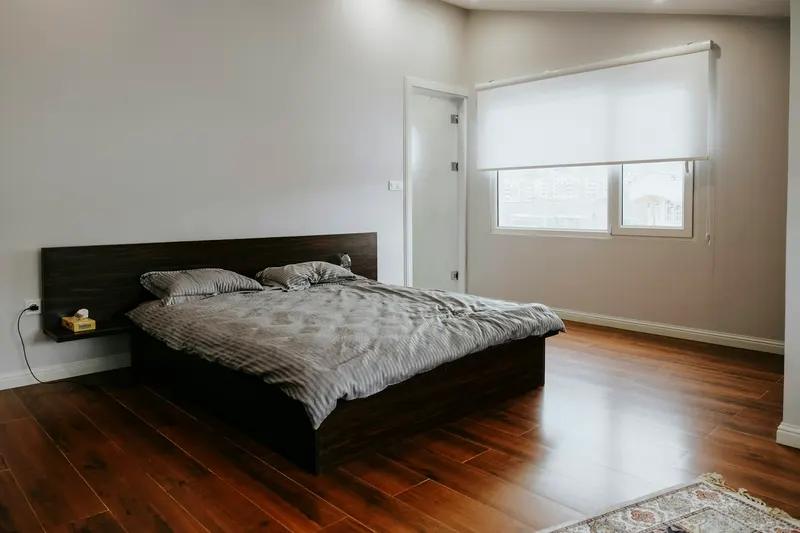
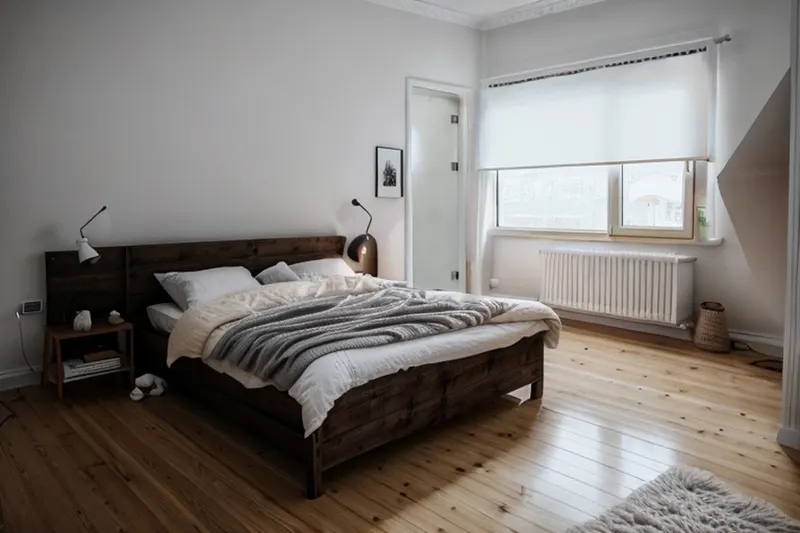
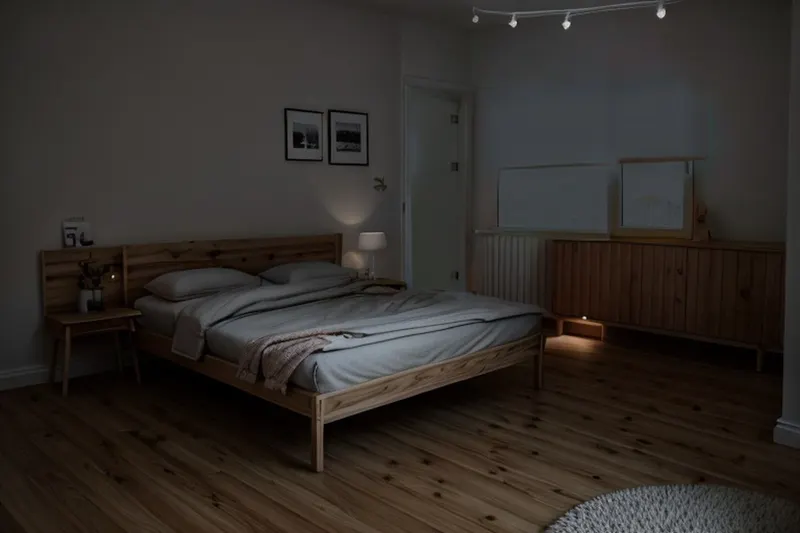
Photo: Sam Moghadam / Unsplash. We darkened a copy to about a third of its brightness.
Test 2: the right room type vs the wrong one
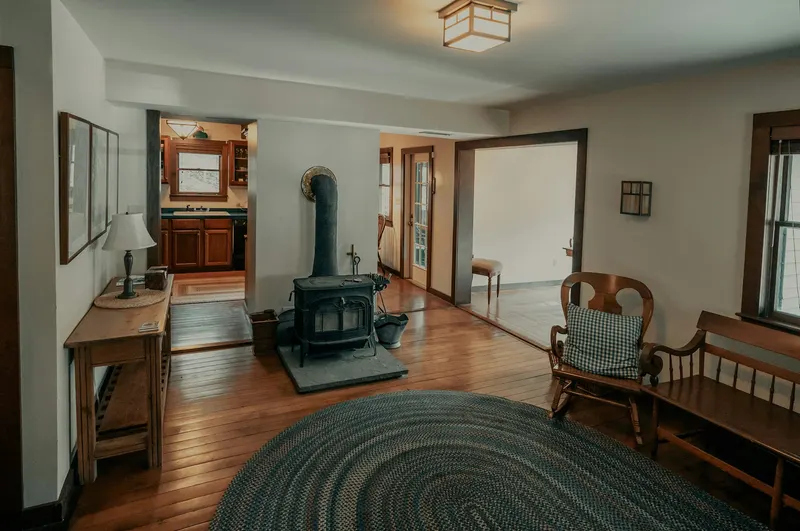
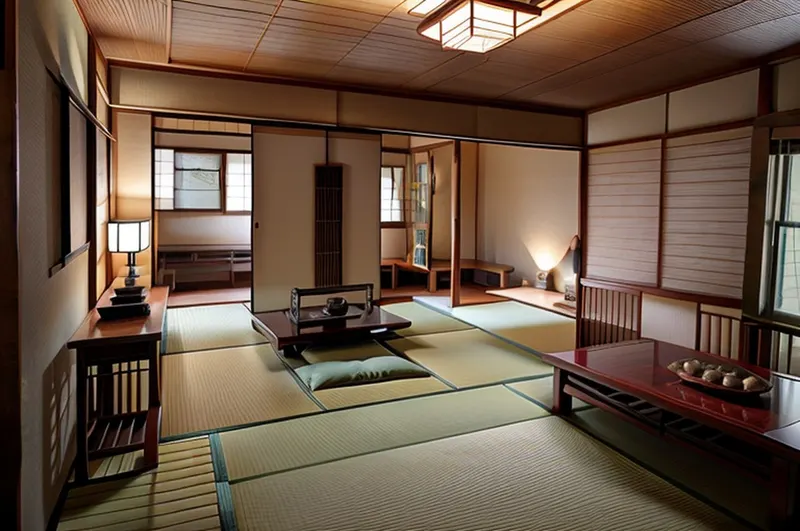
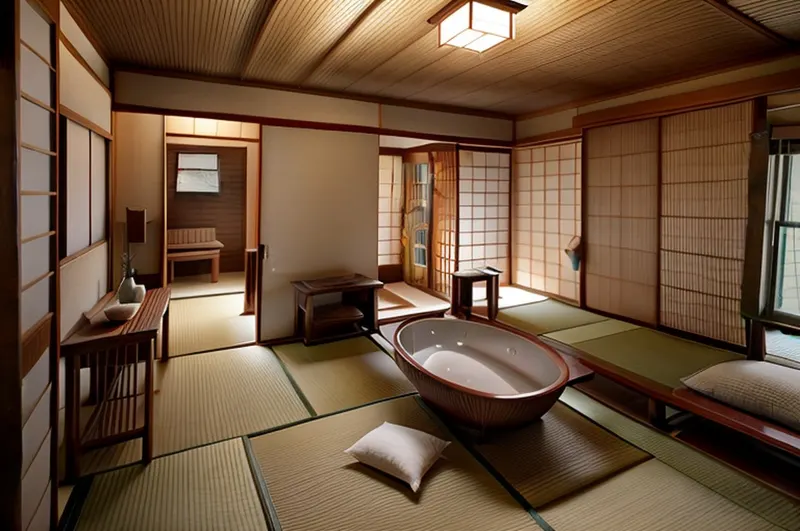
Photo: Clay Banks / Unsplash.
Test 3: the whole room vs a close-up
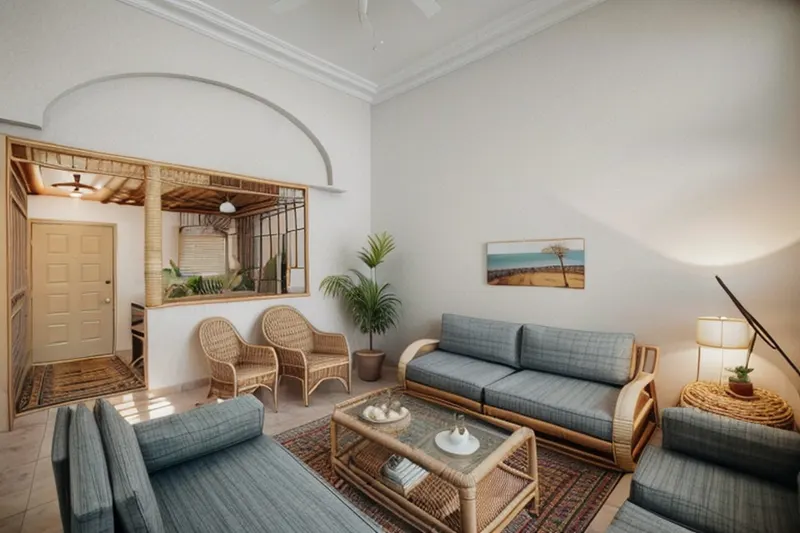
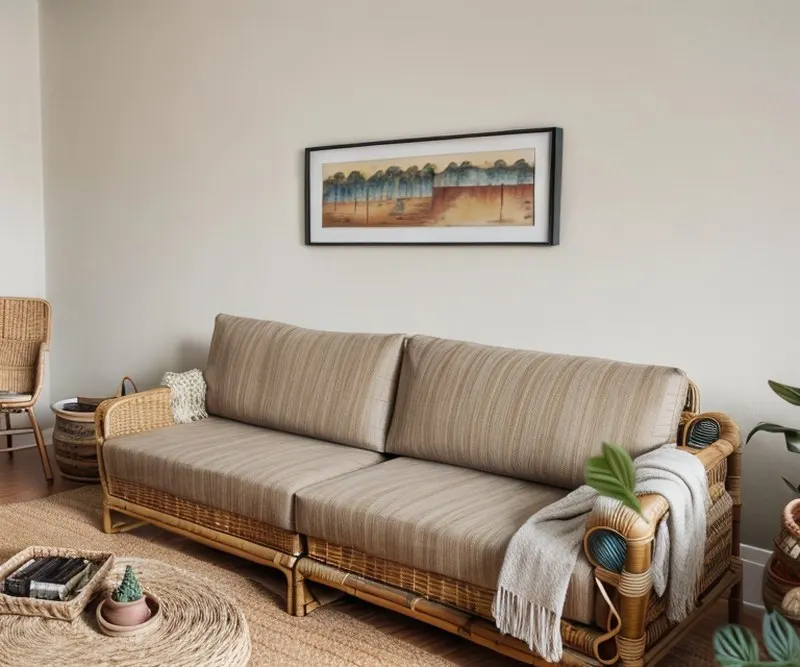
Photo: Zac Gudakov / Unsplash. The close-up is a crop of the same photo.
Test 4: what the AI keeps and what it changes
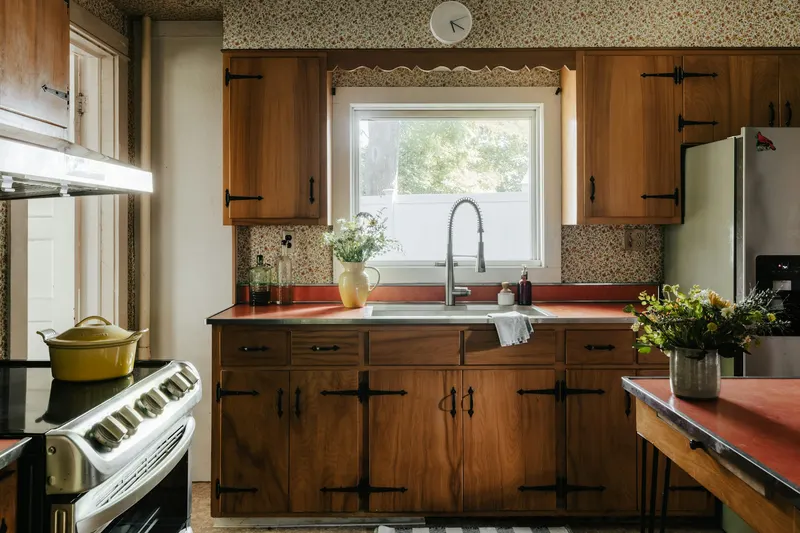
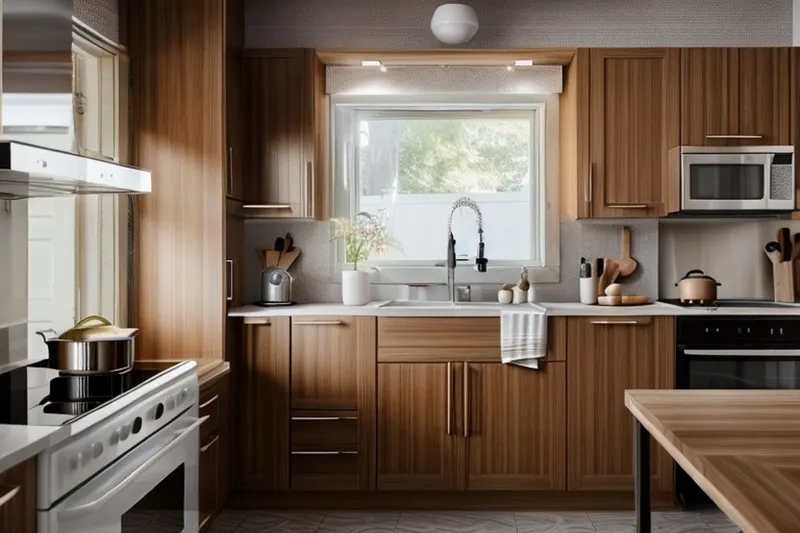
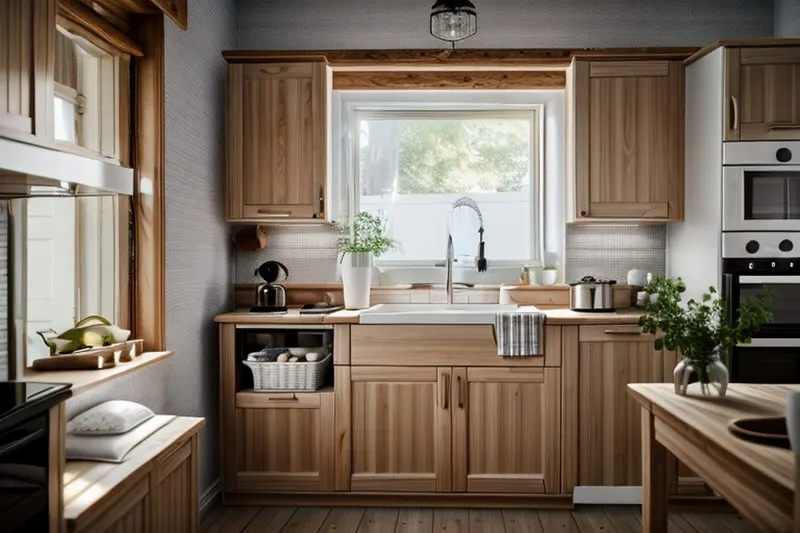
Photo: Clay Banks / Unsplash.
Using AI for interior design: where it helps
- Choosing a style. Seeing your own room in 3 styles beats scrolling through 300 photos of other people's homes.
- Agreeing with someone. Two people can look at the same picture instead of describing a room in words.
- Picturing an empty room. New flat, bare walls? A design shows what the space could become. See an example.
Where it doesn't
- Sizes. The AI doesn't know your room is 3.6 m wide. Measure before you buy.
- Shopping lists. The furniture is drawn by AI, so you can't buy that exact sofa.
- Building work. It shows a look, not how to move a wall or rewire a kitchen. For that you need a professional.
Questions about AI room design
Can I use AI to design my room for free?
Many AI room design tools have a free trial. In DecorAI for Android your first 2 designs are free, with no sign-up. After that, PRO costs $3.99 a week or $24.99 a year in the US.
Do I need a special camera?
No. Any phone camera works. Light and framing matter much more than the camera: a bright photo of the whole room beats a sharp close-up.
Why does my AI design look different from my room?
The AI repaints a large part of the photo to apply the style. It keeps the room's shape, but furniture and small details can change. If a result looks wrong, try a brighter photo, check the room type, or pick another style.
Will the AI tell me what furniture to buy?
No. The furniture in an AI design is drawn by the AI, so it is not a real product. Use the design to choose colours, materials and shapes, then look for real pieces that match.
Is it safe to upload photos of my home?
Check each app's privacy policy. DecorAI sends your photo over an encrypted connection, does not use it for advertising, and lets you delete your photos and designs in Settings. Read our privacy policy.
Try it on your own room
Bright photo, whole room, right room type. Your first 2 designs are free.
Get DecorAI on Google Play