
AI bathroom design: redesign your bathroom from one photo
Bathrooms are small, full of mirrors and pipes, and expensive to change, so it pays to see the look first. Here are real bathrooms redesigned by AI, including the mistakes it made.
Try it on your bathroom 2 free designs · no login · Android
 BeforeMinimalistic
How does AI bathroom design work? You take one photo of your bathroom and pick a style. The AI redraws it with new tiles, wall colour, vanity, mirror, taps and lighting, while the window and the shape of the room stay the same. Your first 2 designs in DecorAI are free and need no login. In small bathrooms the AI sometimes adds fixtures that won't fit, so treat the fixtures as ideas and the materials and colours as the real takeaway.
One small bathroom, four styles
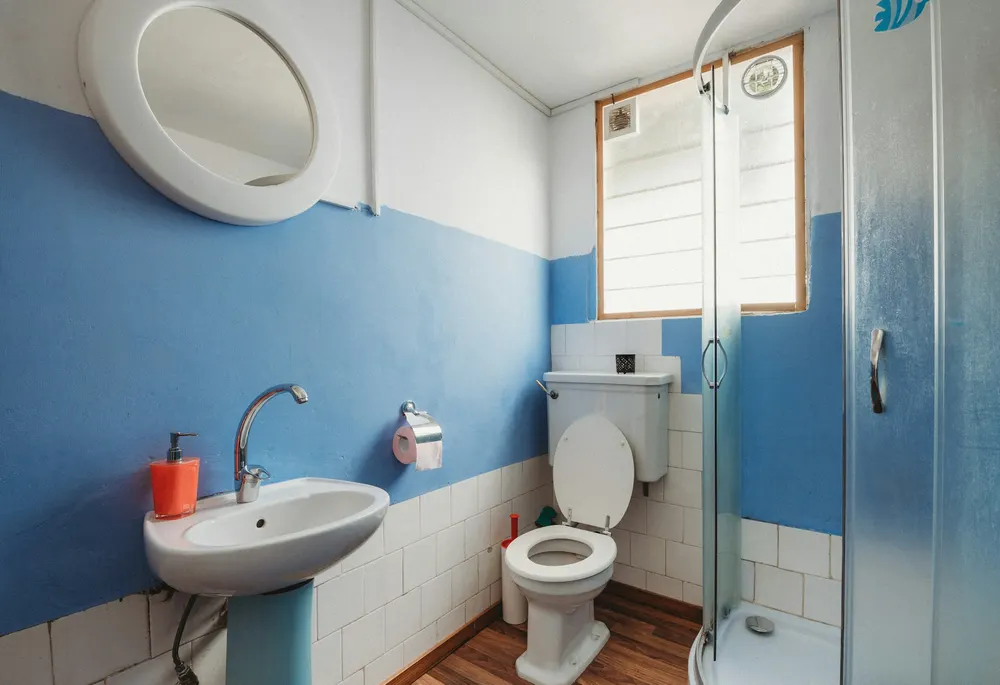
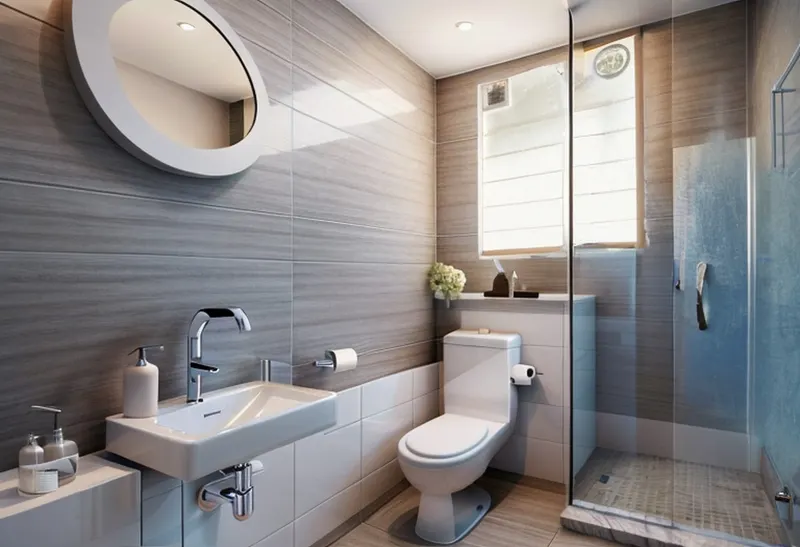
A dated shower room with a half-painted blue wall, a pedestal sink and a glass shower. Same photo, four styles.
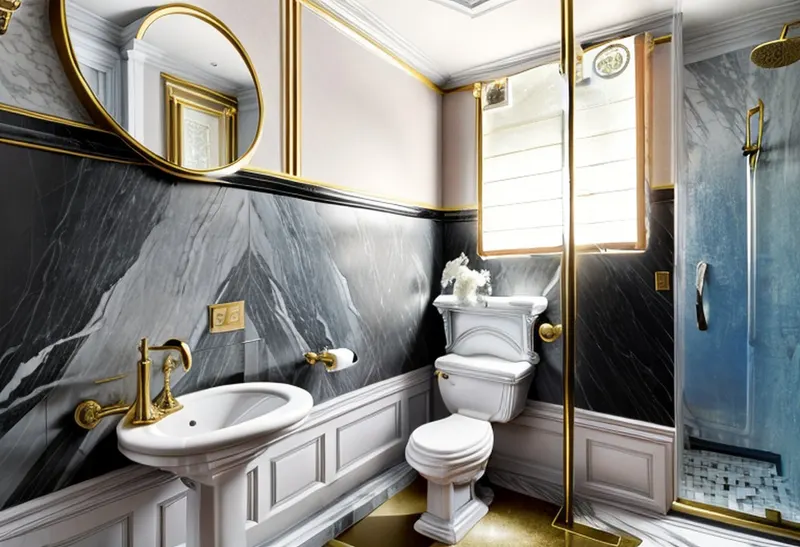
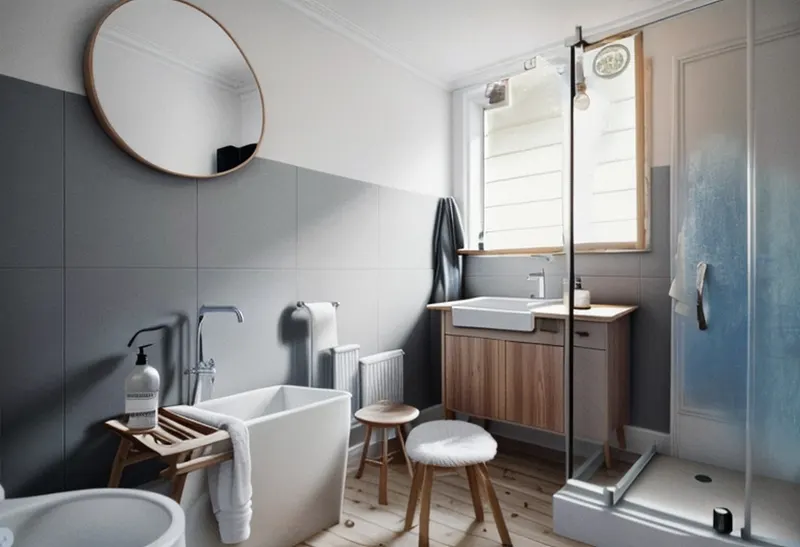
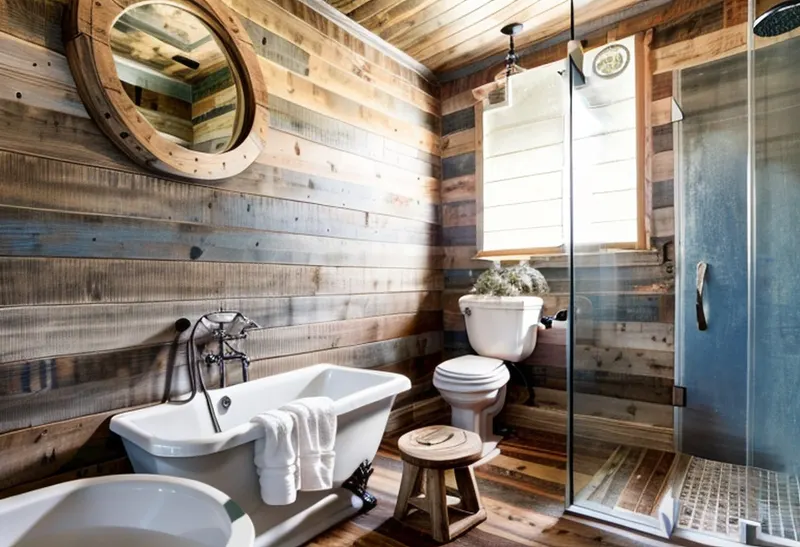
More real bathrooms, before and after
Slide to compare. Every "before" is a real home from Unsplash, and every "after" is exactly what the app returned.
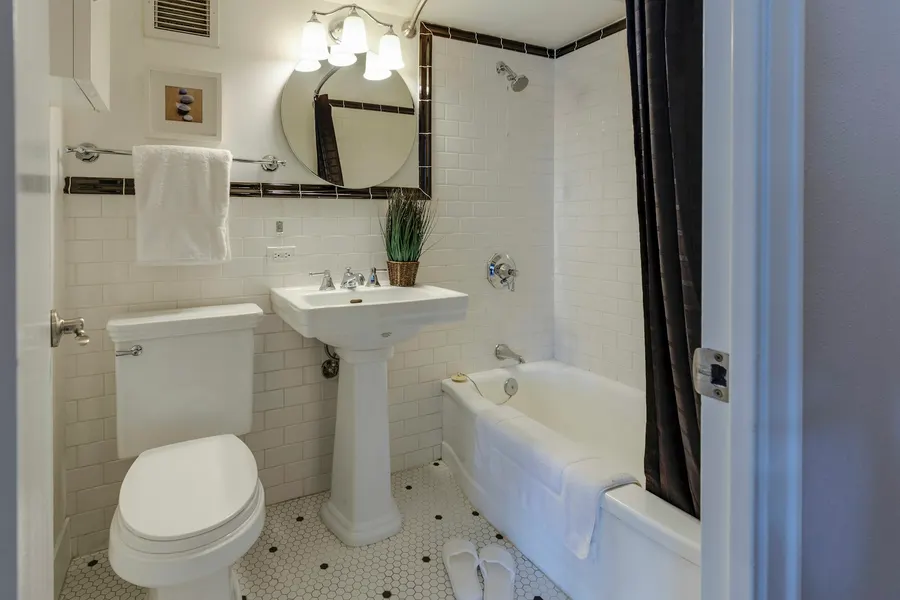
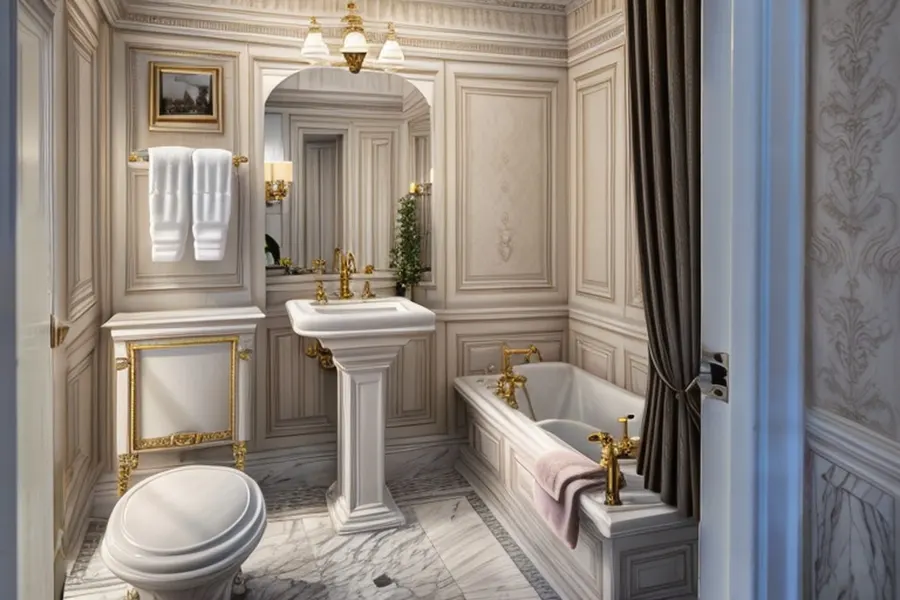 BeforeNeoclassical
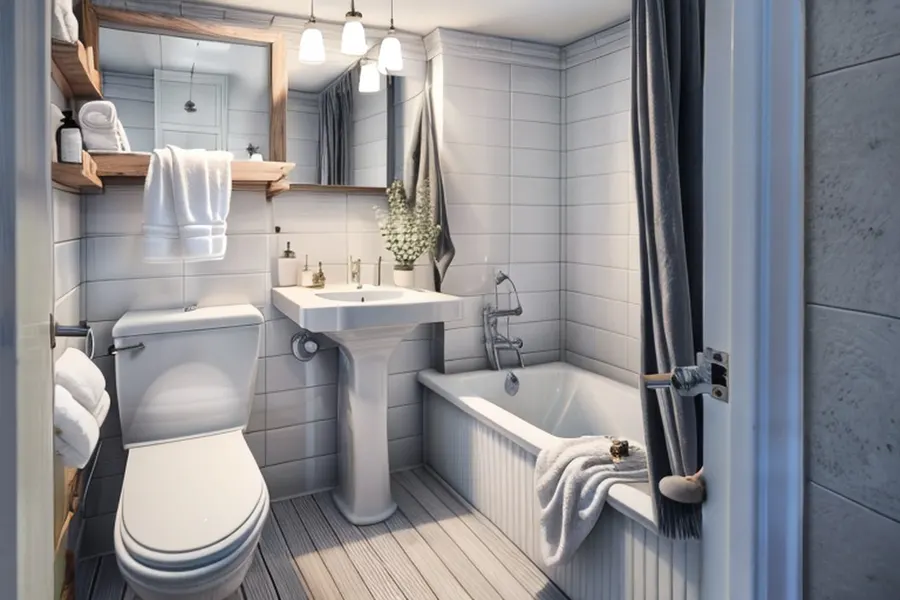 BeforeScandinavian
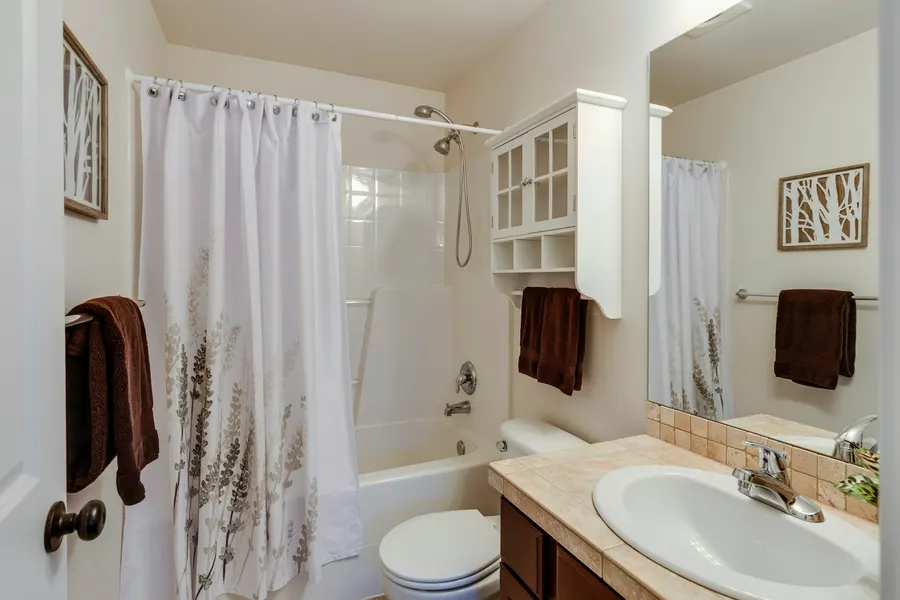
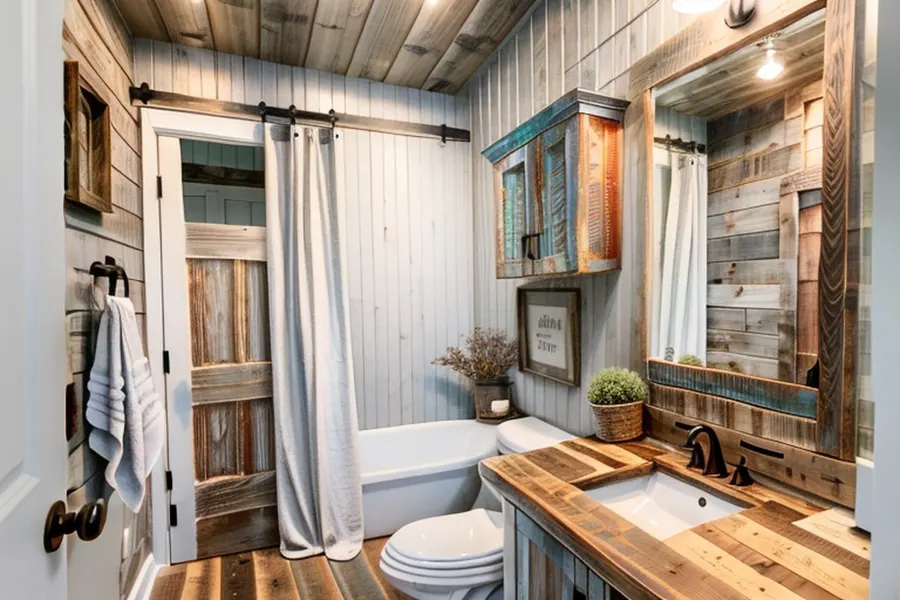 BeforeFarmhouse
How to photograph a bathroom for AI
- Shoot from the doorway, phone held level, so the floor, the wall behind the sink and the window are all in frame.
- Keep yourself out of the mirror. Step to the side or shoot at an angle. The AI is made for rooms, not people, and you don't want your reflection in a design you share.
- Clear the clutter: bottles, towels on the floor, the bath mat. Close the toilet lid.
- Turn every light on. Bathrooms are often dark, and the AI keeps the light level of your photo (we tested it in our guide).
- Pick "Bathroom" as the room type. If you pick the wrong room, the AI fills it with the wrong furniture.
From AI design to a real bathroom
Bathroom changes range from a weekend to a full renovation. Sort what you like in the design by job size:
- Small: paint, mirror, lighting, towel bars, taps in a new finish (black, brass, gold).
- Medium: a new vanity or basin in the same spot.
- Big: new wall or floor tiles, a new tub or shower, or moving any fixture, because that means plumbing.
The Hollywood and Minimalistic designs above changed mostly finishes, so they're closer to a "small and medium" job. The tub-adding designs would be a full renovation.
AI bathroom design questions
Is there a free AI bathroom design tool?
Yes: your first 2 designs in DecorAI for Android cost nothing and need no account, so you can try two bathroom styles for free. More designs need a PRO plan ($3.99 weekly or $24.99 yearly in the US, capped at 20 designs per day).
Can AI design my bathroom from a photo?
Yes. One photo from the doorway is enough: pick a style, set the room to Bathroom, and the AI redraws that same room with new tiles, a new vanity and mirror, different taps and lighting.
Will the AI keep my shower and toilet where they are?
Usually, but not always. In our tests the toilet and window stayed put, but in a shower-only bathroom two of four styles added a bathtub that wouldn't fit. Treat fixtures in the design as ideas and check them against your plumbing.
Does it work for small bathrooms?
Yes. All the bathrooms on this page are small or mid-sized. Shoot from the doorway with the whole room in frame, and keep your own reflection out of the mirror.
Which style makes a small bathroom feel bigger?
Light styles with large tiles and few objects, such as Scandinavian or Minimalistic in a pale colour. Dark styles like Hollywood can look great too, but they make a small room feel cosier rather than bigger.
See your bathroom in a new style
One photo from the doorway, choose a style and Bathroom. Your first 2 designs are free.
Get DecorAI on Google Play