
DecorAI: the AI interior design app for Android
A room design app that starts from a photo of your real room. Pick a style, tell it which room it is, and get a redesign you can compare and download.
Get it on Google Play Free download · 2 free designs · in English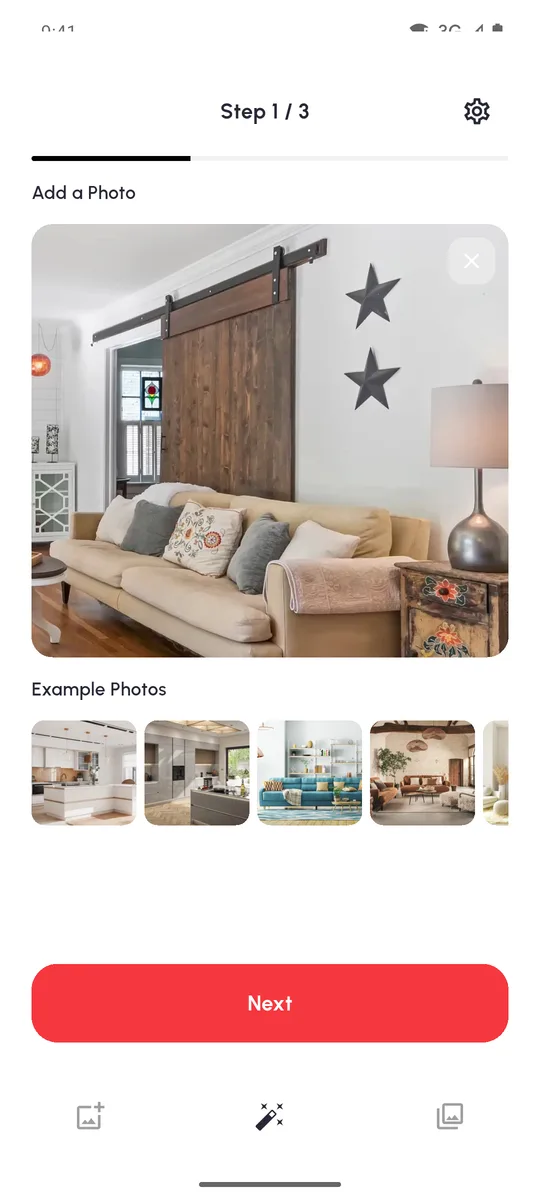
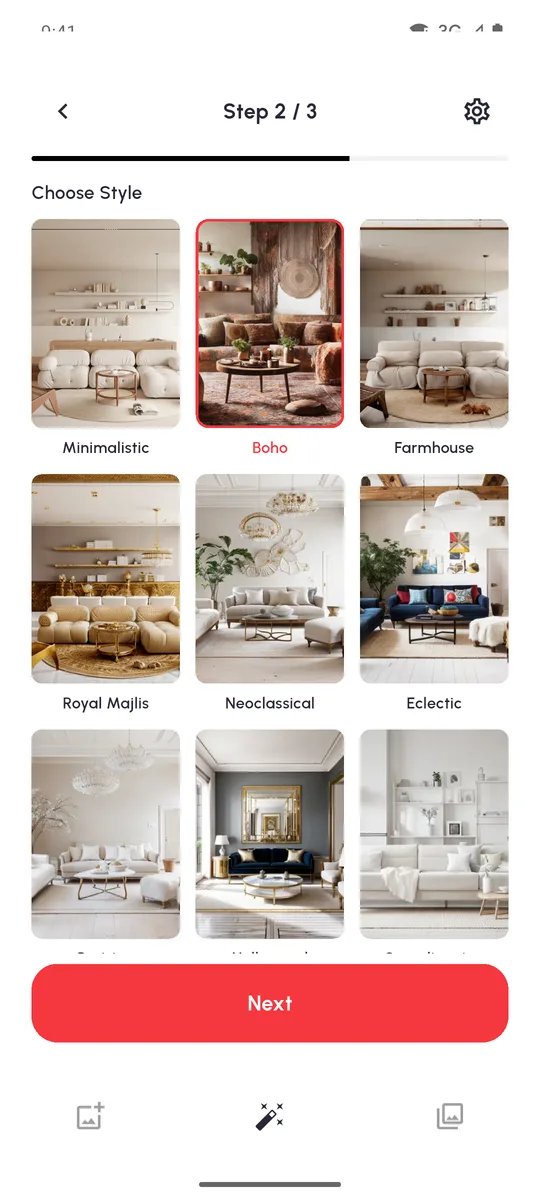
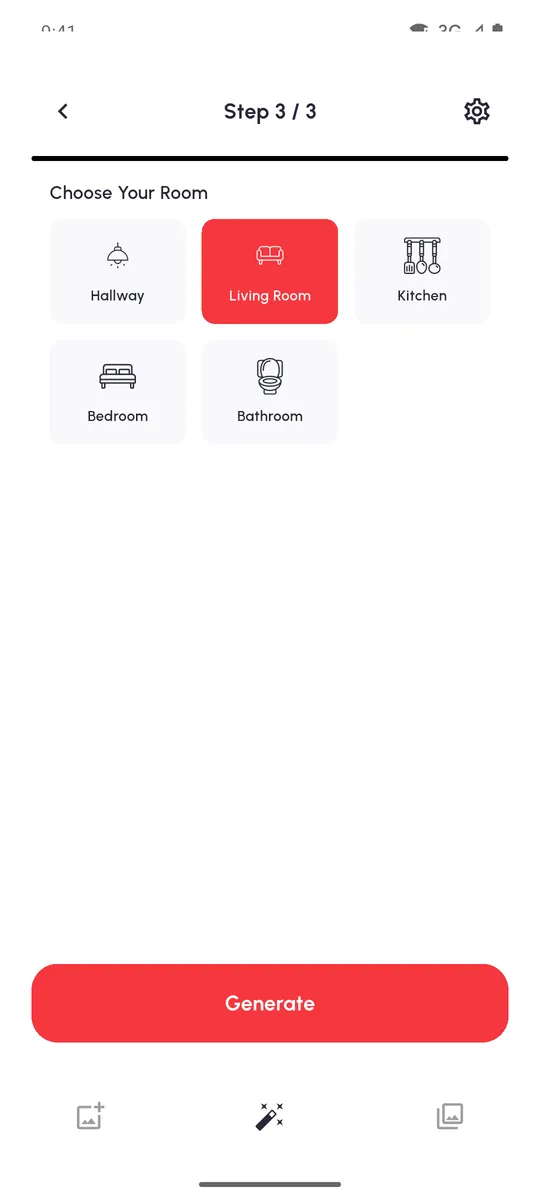
In short: DecorAI is a free-to-try AI decorating app for Android phones. It has 15 interior styles and 5 room types (living room, bedroom, kitchen, bathroom, hallway). You get 2 free designs without signing up. PRO costs $3.99 a week or $24.99 a year in the US and allows up to 20 designs a day.
Inside the app, screen by screen
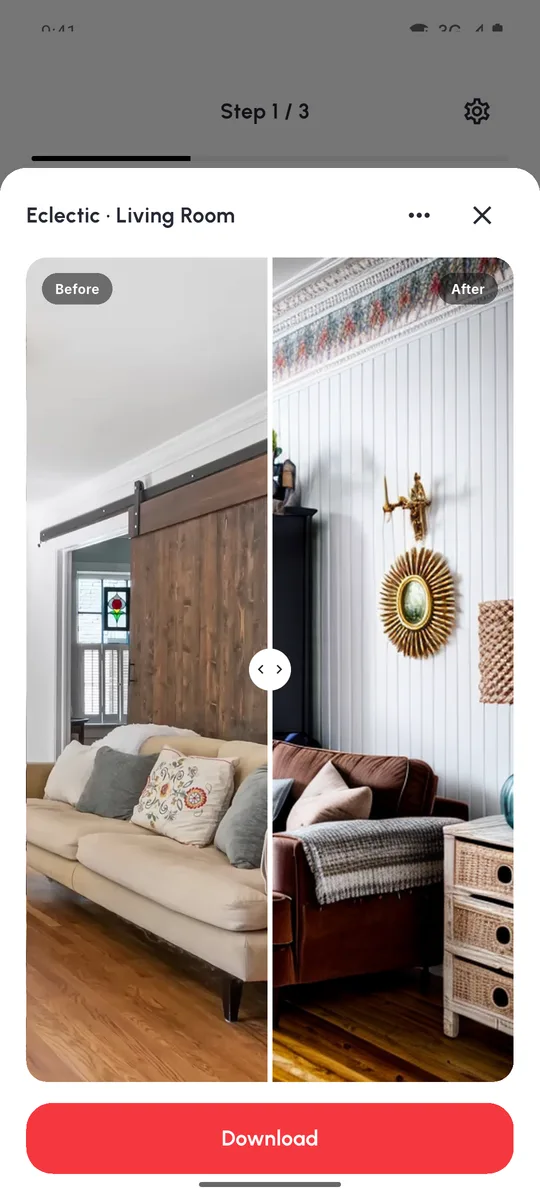
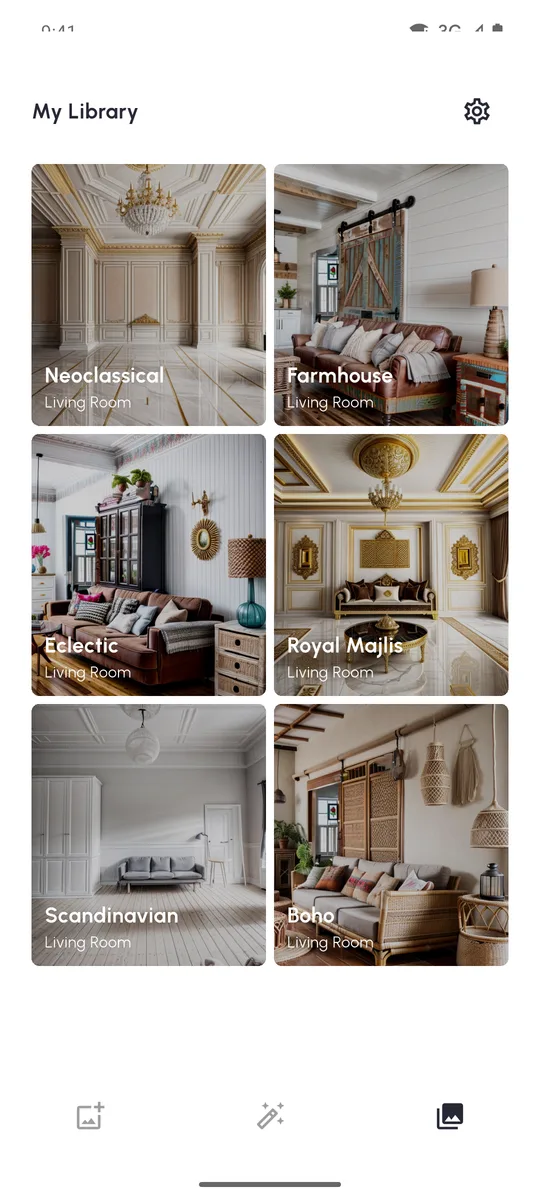
These are real screenshots of the current Android version. There are three steps, and every result opens with a before/after slider.
 EmptyBoho
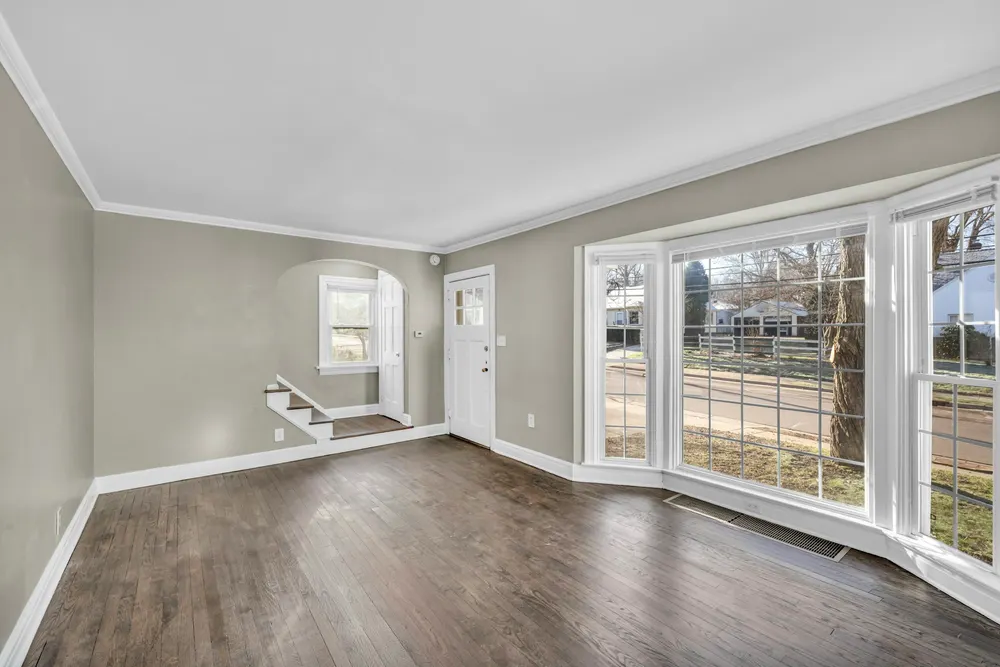
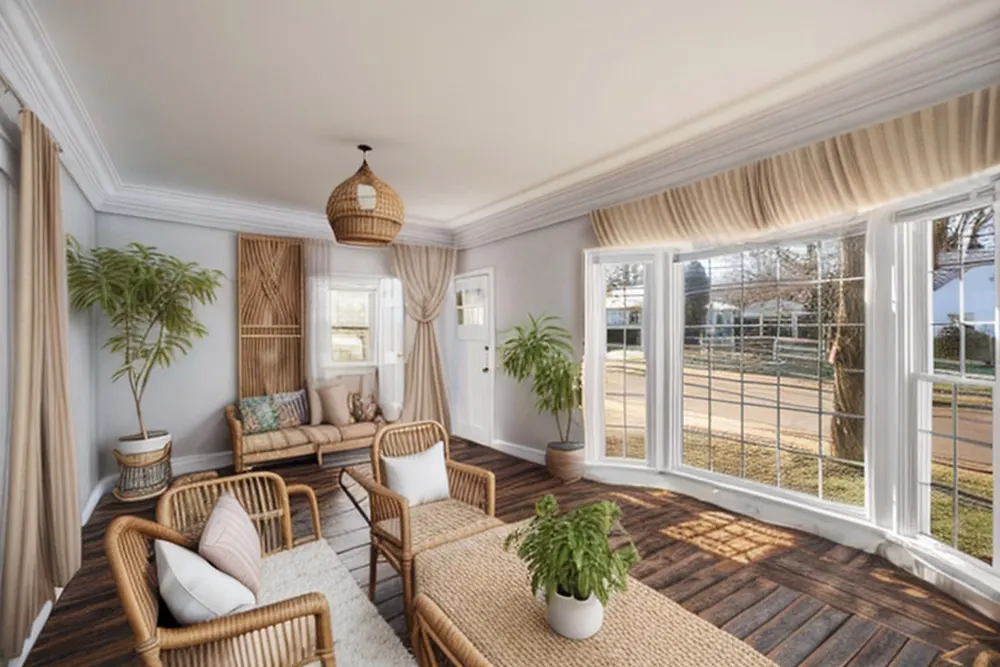
It can furnish an empty room, too
Just moved in, or selling a home with bare rooms? Photograph the empty room, pick a style and the room type. The AI fills it with furniture, rugs, plants and lighting in that style, like the bay-window room on the left.
It's a quick way to see what an empty space could become. It's not a furniture plan: the AI doesn't know your room's real size, so check measurements before you buy anything.
What's in the app
- 15 styles: Minimalistic, Scandinavian, Japanese, Boho, Farmhouse, Mid Modern, Beach, Parisian, Neoclassical, Eclectic, Hollywood, Texan, Royal Majlis, Retro Futurism and Neon Noir.
- 5 room types, so a kitchen gets kitchen furniture and a bedroom gets a bed.
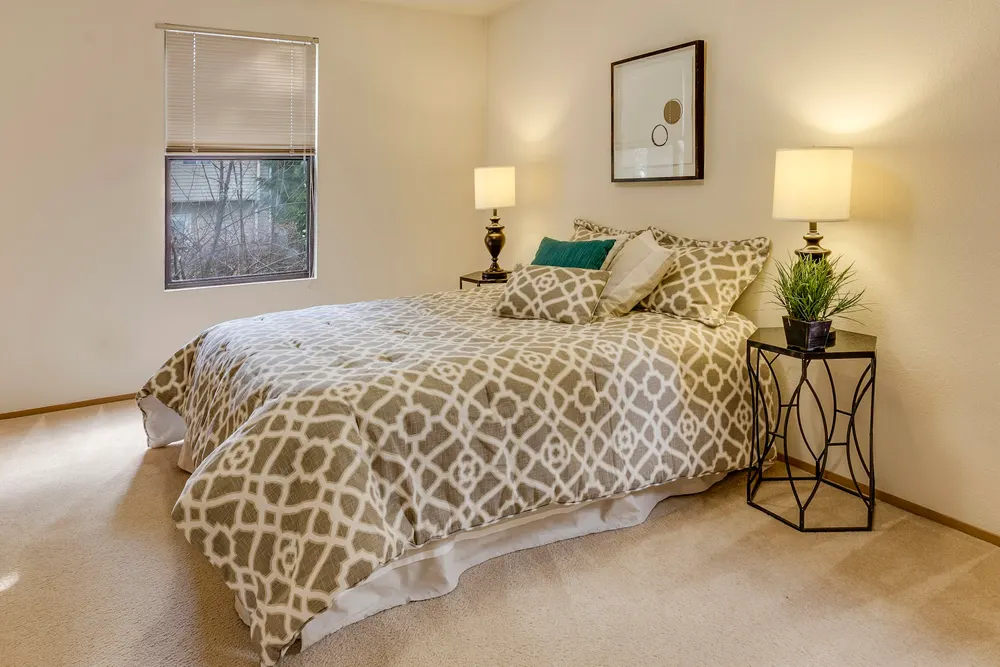
- Before/after slider on every result.
- Library of everything you've designed.
- Download any design to your phone's gallery, then send it to anyone from there.
- Report button on every AI image, in case a result looks wrong or inappropriate.
- Delete my data in Settings removes your photos and designs from our servers.
 BeforeParisian
Is it the best room design app for you?
It depends on what you need. AI decorating apps and 3D room planners solve different problems.
| DecorAI (AI redesign) | 3D room planner apps | |
|---|---|---|
| You start with | One photo of your room | A floor plan you draw or measure |
| Best for | Choosing a style and mood quickly | Checking what fits, to the centimetre |
| Effort | Three taps after the photo | Drawing walls and placing each item |
| Exact measurements | No | Yes |
| Real products you can buy | No, furniture is AI-drawn | Often, from partner catalogues |
Many people use both: an AI redesign to pick the look, then a planner or a tape measure to make it real.
Permissions and privacy
DecorAI doesn't ask for camera, storage, location or contacts permission. Photos come in through Android's own photo picker or camera app, and you choose each one. The app only needs internet access and Google Play billing.
There's no account. The app uses an anonymous ID, so you never type an email or password. Read the full privacy policy, or see how to delete your data.
Price and requirements
- Free: 2 designs, no card needed.
- PRO: $3.99 a week or $24.99 a year in the US, up to 20 designs a day. The app shows the exact price in your currency before you pay.
- Cancel any time in Google Play → Payments & subscriptions.
- Android 7.0 or newer, and an internet connection.
- App language: English.
App questions
Is DecorAI a free AI decorating app?
It's free to download and your first 2 designs are free. More designs need DecorAI PRO: $3.99 a week or $24.99 a year in the US, for up to 20 designs a day.
Which phones does it run on?
Android phones with Android 7.0 or newer, from Google Play. There's no iPhone version right now.
What language is the app in?
The app itself is in English. The Google Play listing is also available in Portuguese, Turkish, German, Spanish and Italian.
How do I cancel PRO?
Open Google Play, tap your profile picture, then Payments & subscriptions → Subscriptions, and cancel DecorAI. Deleting the app does not cancel the subscription.
Who makes DecorAI?
DecorAI is published on Google Play by Watermelon Juice. Questions or problems: hi@watermelonlove.cloud.
Try DecorAI on your own room
2 free designs. No sign-up. Android 7.0 or newer.
Get DecorAI on Google Play